



























.jpeg "Geometry Dash Scratch")
.jpeg "Geometry Dash Lite")


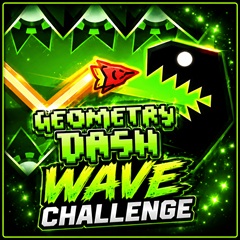
Geometry Dash Wave Challenge
Conquer the Geometry Dash Wave Challenge with intense wave gameplay and treacherous obstacles. Test your skills and overcome every challenging level.
Geometry Dash Wave Challenge: Conquer the Ultimate Wave Adventure
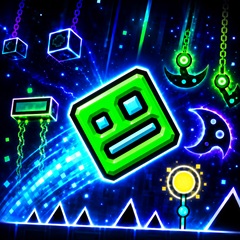
Inspired by the popular Geometry Dash series, this challenge focuses on the classic Wave mode, where players must control a fast-moving wave through dangerous paths filled with sharp obstacles. With colorful design, vibrant music, and increasingly difficult levels, the game offers a thrilling experience for both beginners and experienced players.
Experience High-Speed Wave Gameplay
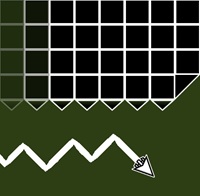
In Geometry Dash Wave Challenge, players control a wave-shaped character moving diagonally through each level. The main objective is simple: avoid obstacles, follow the rhythm, and reach the finish line without colliding.
Characters and Game Modes
The game features several different playable characters, each with a unique appearance:
- Wave Character: The main character moves up and down with precise clicks or taps.
- Cube Mode: A classic Geometry Dash character jumps across platforms.
- Boat Mode: Allows players to fly smoothly while avoiding obstacles.
Main Game Modes
- Practice Mode: Helps beginners familiarize themselves with the level layout and memorize difficult sections.
- Challenge Mode: Focuses on completing more challenging wave-based levels.
- Normal Mode: The main adventure, where players strive for the highest score.
Levels and Obstacles
Each level introduces new challenges with increasing difficulty:
- Easy Levels: Simple wave paths, fewer traps, and slower movement speeds.
- Medium Levels: Require faster and more precise reaction times.
- Hard Levels: Narrow paths, fast speeds, and complex obstacle types.
Common Obstacles
-
Spurs and sharp blocks
- Moving barriers
- Narrow wave tunnels
- Sudden speed changes
- Fake paths and difficult curves
Control Instructions
- Click or Left-click: Move the wave upwards.
- Tap the screen: Control movement on mobile devices.
- Release the button: Move the wave downwards.
- Hold and release quickly: Make small adjustments in narrow areas.